Flipping Instruction with Edpuzzle

flipped class

I’m flipping! My classroom that is…. I’d been thinking about it for a while and then because of personal reasons it became a necessity.  What is flipped instruction, you ask?  According to Wikipedia, Flip teaching or a flipped classroom is a form of blended learning in which students learn new content online by watching video lectures, usually at home, and what used to be homework (assigned problems) is now done in class with teachers offering more personalized guidance and interaction with students, instead of lecturing. Now because about 80% of our students don’t have access to technology, I will be doing what has been called the “In Class Flip”.  Learn more about it here.

In my classroom, students rotate through stations that focus on reading comprehension, vocabulary development, and writing.  The focus concept will be a video that is a station and I’ll be a station as well.  Transforming my classroom in this manner really helped me to spend quality time with my students through small groups.  I can’t wait to start out the school year this way.

Once I realized that I would be spending a huge chunk of time away from my classroom, I decided that students would have to continue to receive core instruction even though I wouldn’t be there.  I had all of my flipcharts ready to go, but how could I get that information to them in a way that would keep them engaged and focused.  Enter Edpuzzle!

edpuzzle

Edpuzzle allows you to take just about any video (from on the internet of self-created), edit it down to the portions you want, add audio notes and questions for students, and create virtual classrooms where you can monitor individual student work.  And it’s all FREE!

Through Edpuzzle, I can add checking for understanding questions for my students throughout the video that will self grade.  Win/Win!  It can be embedded through Edmodo, and students can log in through their Google or Edmodo accounts!
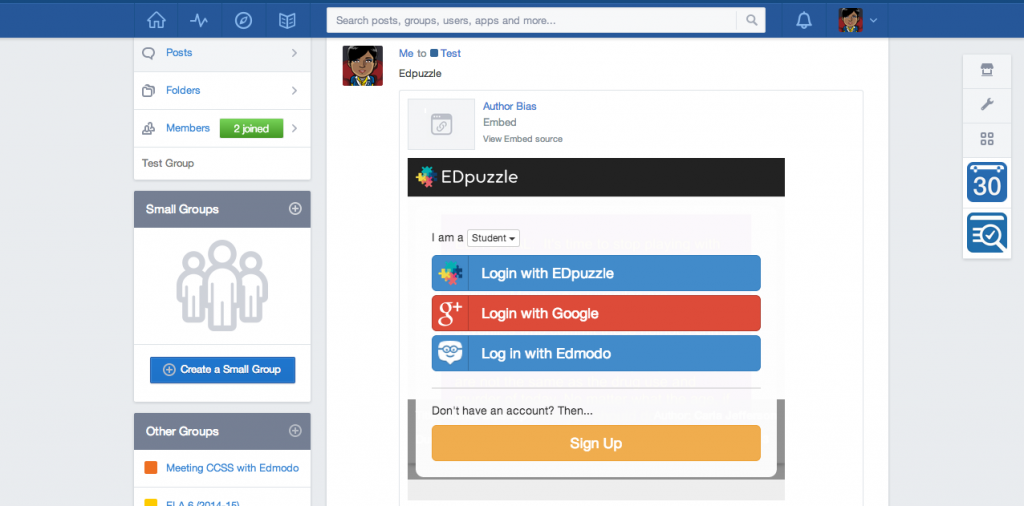
Edmodo_Edpuzzle

Here is a screenshot of the data I am able to get of what students are doing.  This allows me to streamline my lessons and form small groups for instruction.
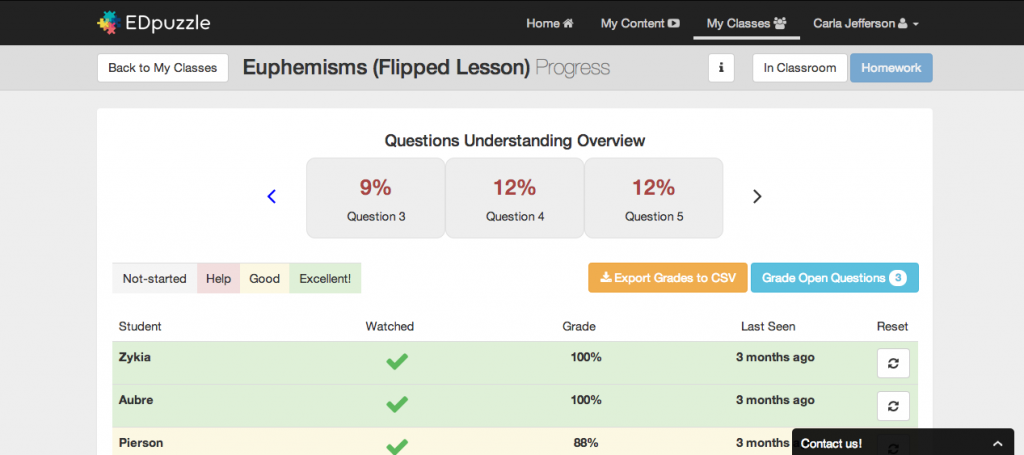
Edpuzzle4

Did I mention that students can’t skip ahead in the video?  Another WIN!
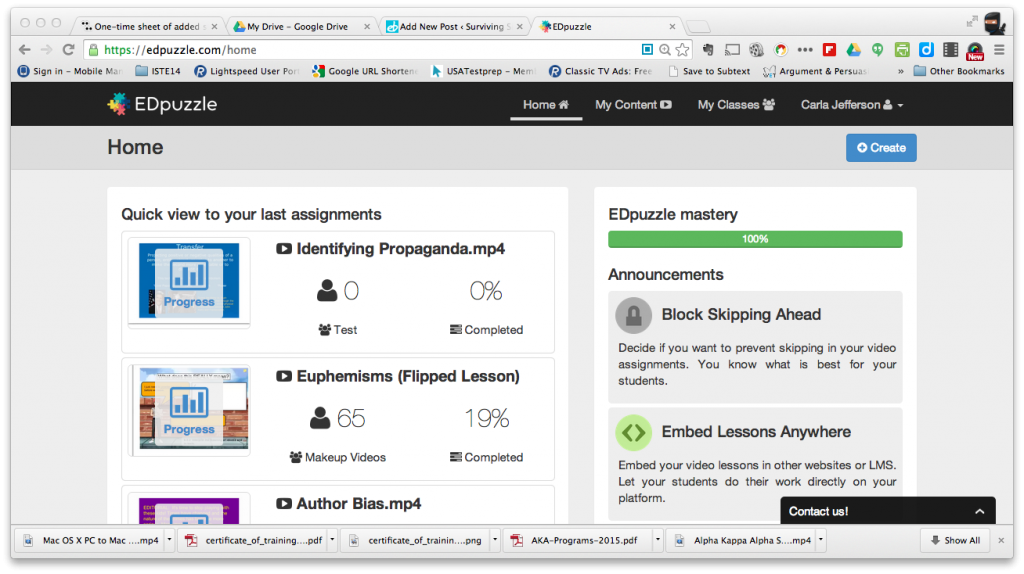
Edpuzzle2

So if you’re interested in flipping or blended instruction – or just want to find another way to keep students engaged in learning…try Edpuzzle.  I’m sure you’ll love it! 🙂

Until the next time,

20130914-094505.jpg

DCMOOC…..What I Learned About Digital Citizenship

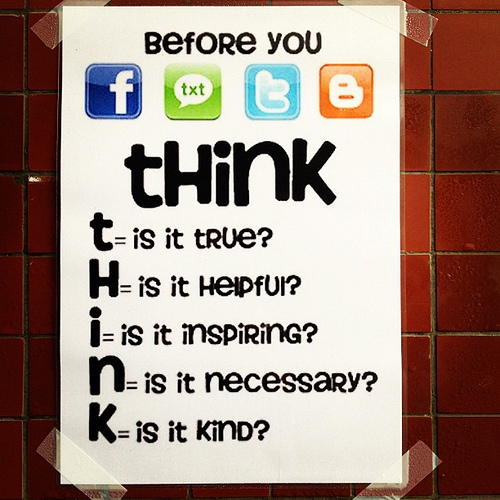
THINK

Photo Credit: ToGa Wanderings via Compfight cc

For the past month, I participated in a MOOC (Massive Open Online Course) on digital citizenship.  What is a MOOC you ask? A MOOC is an online course that allows unlimited participation and open access via the internet. MOOCs use traditional course materials such as videos, readings, and problem sets as well as creates a community for many people from many different places to collaborate and learn.  In this MOOC, participants had access to a focused weekly webinar focused on digital citizenship with other webinars available that focused on ways that educators could build an online presence and make connections.

What did I learn from this MOOC?  I learned that I have a whole lot to learn! 🙂 I will use our Week 5 questions to share my final thoughts and next steps.

What is one big take-away for you from #DCMOOC, and what will you do with that information?

One big take-away revolves around making sure that as a teacher I continuously stress digital citizenship with my students.  Digital Citizenship is not just a course and/or curriculum that is taken and forgotten about it, but a mindset that should pervade every part of a person’s life.

Going forward, what else do you feel you need to know about digital citizenship, and what will you do to learn about it?

As I look at my students and the community I work in, I think that finding inventive ways to educate households about digital citizenship will be a huge undertaking.  I plan to continue to connect with the people I’ve met through the MOOC to share ideas and brainstorm ways to assist with this.  I also need to work with my students on copyrighted information.  I’ve found various ways to find and access pictures in the correct way and I plan to work with them on showing them the process.

Will you continue to stay connected and engaged with the #DCMOOC community, and, if so, how do you plan to do so? What are your suggestions for continuing to learn about and discuss digital citizenship together after the course ends?

I definitely plan to stay connected with the #DCMOOC community through Twitter and Google+.  I use TweetDeck as my Twitter platform so I have tabs for DCMOOC hashtag (#dcmchat) and the DCMOOC Twitter list.  I also have a tab for the Digital Citizenship hashtag (#digcit).  The resources that are available just through Twitter are a great help, but I also continuously search for other resources and Common Source Media is a definitely an amazingly comprehensive resource.

Big shout out to my colleague, @TechRhett, who shared this MOOC with me.  It was my first, but it definitely won’t be my last!

Until the next time,
20130914-094505.jpg

The Teaching Tribune {Worksheet Wednesday}

Today’s theme in The Teaching Tribune’s Summer Bloggin’ series is Worksheet Wednesday.

TTT Summer Bloggin-Wednesday


The worksheet I’m sharing is my Differentiating Point of View worksheet.


In elementary school, students are taught to search for the pronouns to determine point of view.  As they get older, dialogue in text can confuse them, so I encourage them to ask the following questions:

1.  Who’s telling the story? 

  • Inside narrator (character):  first person
  • Outside narrator:  third person

2.  How much does the narrator know?

  • Thoughts and feelings of one character?  third person limited (limited-omniscient)
  • Thoughts and feelings of all characters?  third person omniscient

This seems to help them greatly and we hardly get point of view questions wrong, now!

I hope this will be helpful to you.

Until the next time,
20130914-094505.jpg

The Teaching Tribune {Two for Tuesday}

As I said earlier this week, I’m joining up with The Teacher Tribune for their Summer Bloggin’ Series.  Today’s post is entitled…..Two for Tuesday!

TTT Summer Bloggin- Tuesday

I’ve put two of my Interactive Student Notebook products on sale!  I decided to use ISN’s last school year and it was one of the best ideas I’ve ever had!  No more loose papers poking out everywhere.  And as long as they can keep up with the notebook, they can keep up with the notebook – they have everything they need! The students love them because it helps with their organization which is desperately needed as they transition to 6th grade.

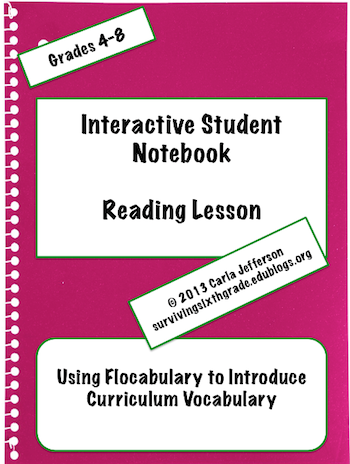
Product #1 is Interactive Student Notebook Reading Lessons – Curriculum Vocabulary.

ISNFlocab2

This activity is connected with Flocabulary’s “On Trial” video.  The kids love it!  If you’ve never seen it, here’s the video, which can be found on YouTube:

Product #2 is Interactive Student Notebook Reading Lessons – Analyzing Story Elements.

ISNMufaropic


I love Mufaro’s Beautiful Daughters!  The illustrations are so vivid and I tie it in with our Cinderella Unit.  I always review story elements at the beginning of the school year since its such a difficult time for our new 6th graders.

I hope that you find one (or both!) of these products useful to you!

Until the next time,
20130726-063551.jpg

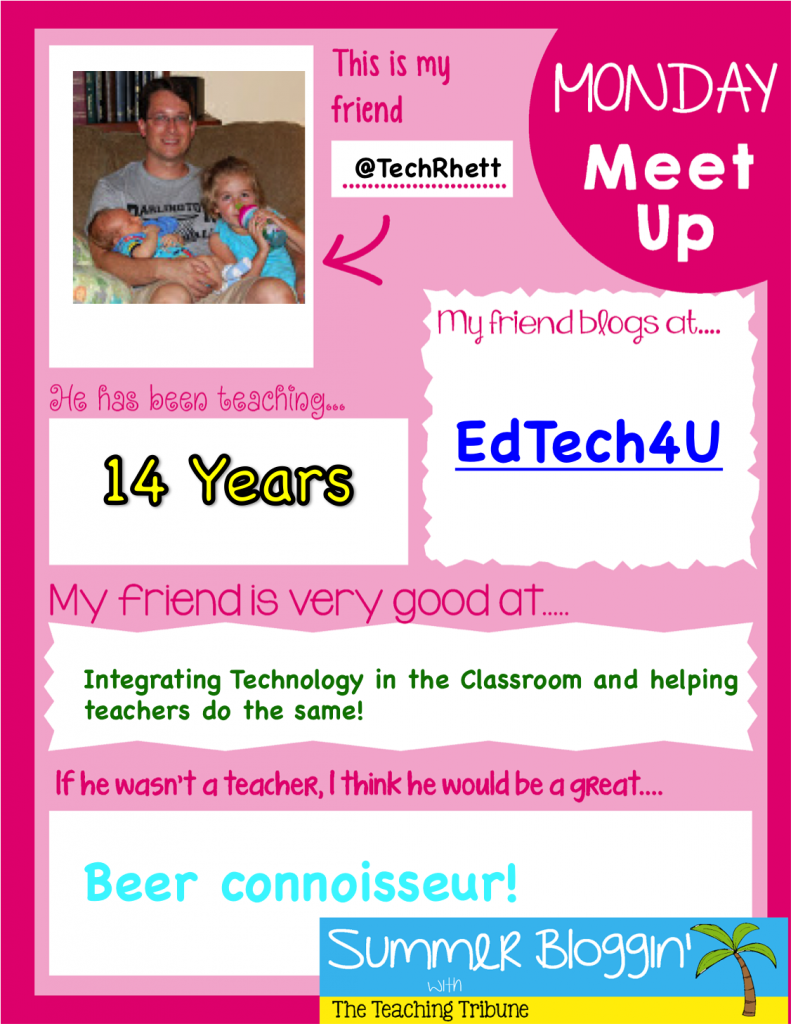
The Teaching Tribune – Monday Meet Up! {Meet @TechRhett}

It’s Monday!  Which means it’s Monday Meet Up for The Teaching Tribune!  My first “Monday Meet Up” is my partner in crime Rhett Hughes aka @TechRhett!  Rhett and I met about a year ago as our district was in the planning stages of our District Technology plan.  This dude is so smart and so resourceful!  But don’t just listen to me…go on over and check out his blog….EdTech4U!

Monday Meet Up Rhett

The Teaching Tribute Summer Blogging Series

Summer Blogging Header

This summer I’m participating in The Teaching Tribune Summer Blogging Series.  Click here to find out more.

Every day of the week will have a different focus.  Monday’s focus will be Monday Meet Up.  

Monday Meet Up Sign

I’d love to highlight some new bloggers!  If you’re interested, leave me a message in the comment box.

Until the next time,

20130914-094505.jpg


Finishing Strong! with Book In A Day

finish strongI can’t believe that the school year is almost over!  In an earlier post I talked about making sure the kids had work to do as we wind up the school year.  And our team makes SURE of that!  Although the kids look at us like we’re crazy, I think they crave the structure and discipline that we provide as we wind down the school year.  Another favorite way to keep kids occupied and engaged is to do a “Book In A Day”.

With the Book In A Day, we read one book all day long.  Each period covers different sections of the book. We do activities with each section and then the students compare and contrast the movie.  The kids love it!  During Christmas time, we read The Best Christmas Pageant Ever and this year for the end of the year we read How to Eat Fried Worms!

fried worms

My The Best Christmas Pageant Ever Book In a Day unit is already in my TpT store now.  I’m finishing up my How to Eat Fried Worms unit and would love some feedback.  If you’re interested, please leave me a comment below with your email address and I will send it to you.  I’d really appreciate it!

Until the next time,

20130914-094505.jpg

Finishing Strong! with (The Giver)

finish strong

We have only a few weeks with kids and I can hardly wait!  I love my kids – love them to death…..but WE need a break from each other!  I suppose I’m getting on their nerves just as they’re getting on mine! Because I was 100% positive that if I heard “Are we doing work today?”  I was going to have a nervous breakdown and start running and screaming down the hall.

It’s our fault I suppose….all year long we stress to  the students that what we’re doing will make them better readers and writers – but due to the stress the states puts on us we follow it up with, “This will get you ready for PASS!  You need to get ready for PASS!” like that standardized test is the golden brass ring that is the end all – be all. *scoff*  So once PASS is over and we realize that we have three more weeks of school left……Oh…..My…..God!

After the left test was done, I received incredulous looks from students who didn’t believe my answer of “Work” when they asked me what we’re doing today.  Thankfully, I saved the best for last this year……The Giver!

giver

In my opinion, The Giver is the granddaddy of all dysotopian novels.  If you’ve never read it, stop what you’re doing and read it right now!

The kids absolutely loved it! Especially when I paired it with mew best engaging tool….Kahoot!

kahoot2

Kahoot is a game-based classroom response system.  As a teacher you can create your own “quiz” or browse from the thousands that are already available on the website.  Students put in a pin using any mobile device (tablet, phone, computer, etc) and you’re good to go.

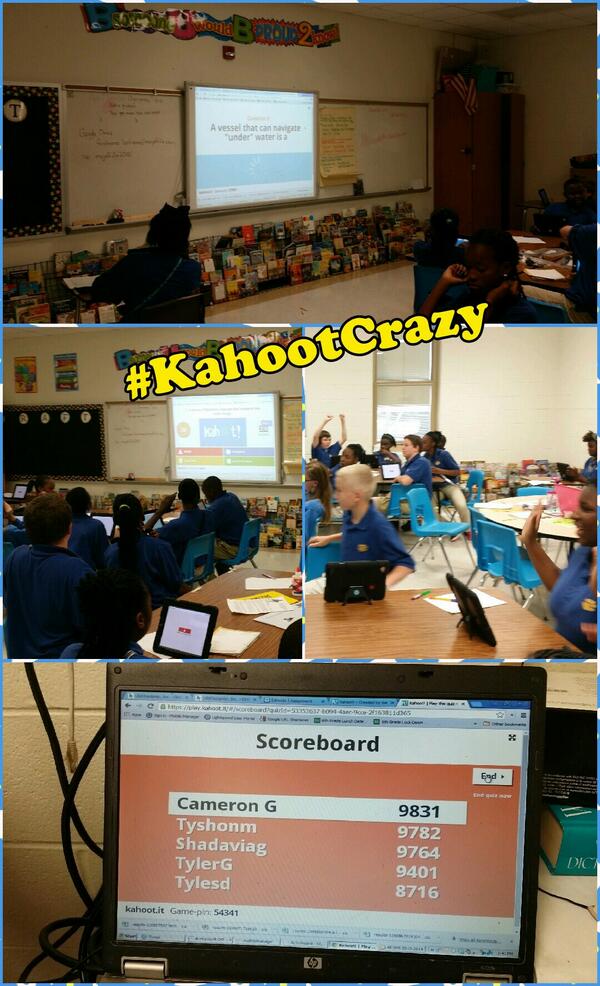
My kids absolutely {{puffy}} heart love Kahoot!  Just the thought of a Kahoot on the horizon causes them to come in silently, get right to work, pay attention, and work HARD!  Just take a look at them!

kahoot crazy

To see the excitement on their faces was all I needed.  The movie comes out August 15th and my kids have seen the previews.  When they look at me with looks of disdain and say “But, it’s in COLOR!” – my heart dances!  Oh I can’t wait!

Until the next time,

20130807-032612.jpg

What Makes A Great Teacher?

I attended a beautiful home going service today. It was for my 6th and 8th grade Math teacher, who in later years became my sorority sister and coworker.  I hate Math….can barely count to ten is what I tell my kiddos, but I loved her as a teacher.  At the service I saw my favorite teacher of all time, Mrs. Dupree.  I love her and she loves me.  I still stop by her house to talk when I go home and I bring my precocious baby girl with me when I go – because Mrs. Dupree insists.

On the ride home, I began thinking about these two amazing women (as well as a few others!) and why they stand out significantly when I think about my childhood years.  I began to ask myself, “What did they do that made them such excellent teachers?”   Here are my thoughts:

1.  They loved what they did.

Now, anyone who knows me – knows about my love/hate relationship with Math.  I loved Algebra, hated Geometry, and only took Pre-Cal because I was forced to.  Senior year I took NO math, because I’d met my requirement and Physics was close enough.  I didn’t particular like 6th or 8th grade math either, but I loved Mrs. Footman.  She loved math and I reckon she had enough enthusiasm for the both of us.  Her face lit up as she demonstrated the math problems on the chalk board…..and when we got it!  She kept us after class, during lunch, or after school to help us if we didn’t.  I even remember my mom calling her at home for help- and she never hesitated.

As for Mrs. Dupree, she was my English IV and AP English teacher.  She loved the classics and made us love them too!  I mean who wouldn’t get excited when your teacher recited Lady Macbeth’s soliloquy?  Hmmmm?  She made me fall in love with old troublesome Healthcliffe and scrappy Pip.  She made our discussions lively and fun and you could see the joy on her face.

2.  They were firm but fair.

Sometimes I sit in amazement at how much education has changed in the last 20+ years….how much children have changed in the last 20+ years.  Growing up, there was always one student who got regularly paddled – for me that Mener (and yes, his name was Mener).  Now, there are anywhere from 3-5.  But the potential for children to be….well, children…. is always there.  They were not afraid to reprimand a student who was misbehaving, and you knew that it would happen whether they cared for you or not.  In fact, it was in their caring that forced them to acknowledge and redirect inappropriate behavior.  I was a good student….a great student….for the most part, but I was still occasionally subjected to a stern glance or a voice of reprimand.  I can’t think of anyone who felt inappropriately slighted.

3.  They just were.

There’s no way I can explain it or adequately describe it..  They just were.

  • They were kind.
  • They were knowledgeable.
  • They were intelligent.
  • They were passionate.
  • They were thoughtful.
  • They were available.

And it is my hope that once my time on this earth is done, that my students will reflect fondly on me and say that I was too.


Until the next time,

20130914-094505.jpg

Keeping Students Engaged via Backchannels!

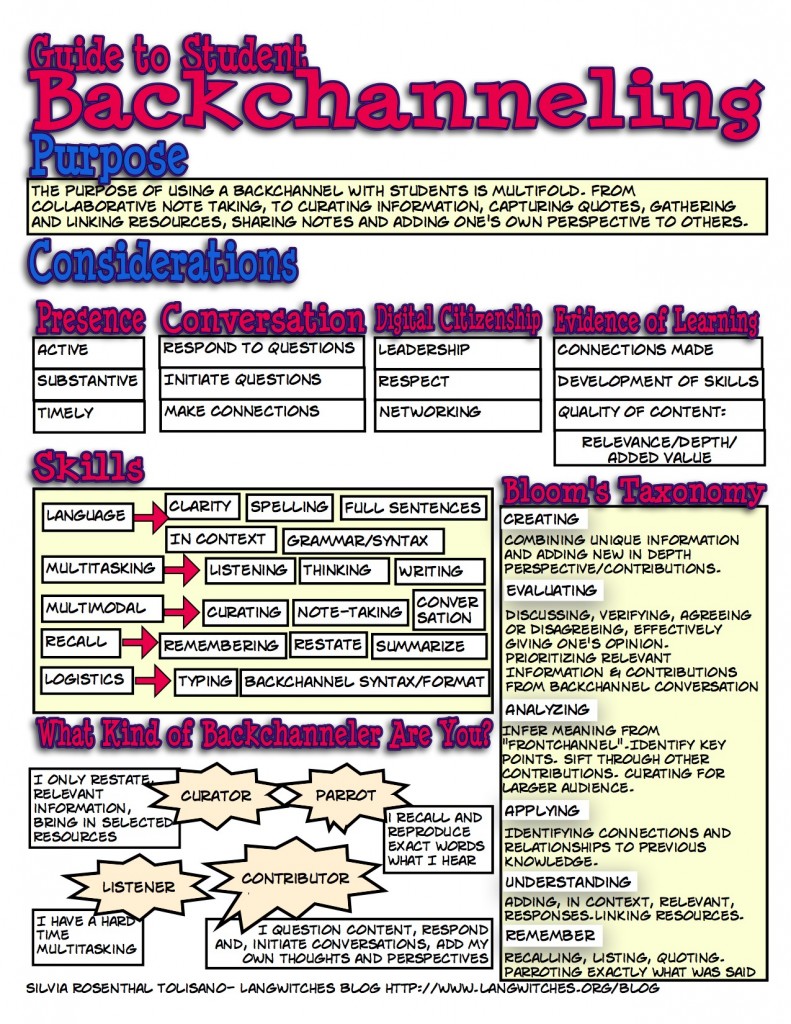
Today’s post focuses on a website that I can’t live without. I decided to focus on websites that are perfect for back channeling.

What’s a backchannel, you ask?

backchanneling

Definitions:

Wikipedia

Backchannel is the practice of using networked computers to maintain a real-time online conversation alongside the primary group activity or live spoken remarks. The term was coined in the field of Linguistics to describe listeners’ behaviors during verbal communication,

Think Eric Think

It’s a kind of parallel discussion, a collectively shaped comment on some ongoing conversation. An alternative channel, often with a different conversational modus.

Lee Lefever

It’s a little like passing notes in class- except via the Internet. Wireless Internet connections at conferences and lectures are allowing people to use laptops and other tools to communicate in real time during presentations. These communications occur in what is called the “backchannel”.

How can I use a backchannel, you ask?

Anytime you want to get immediate feedback from students.

  • Skype Sessions – During our Skype sessions, we use a backchannel to document what’s going on.  This allows everyone who is participating to show their perspective.
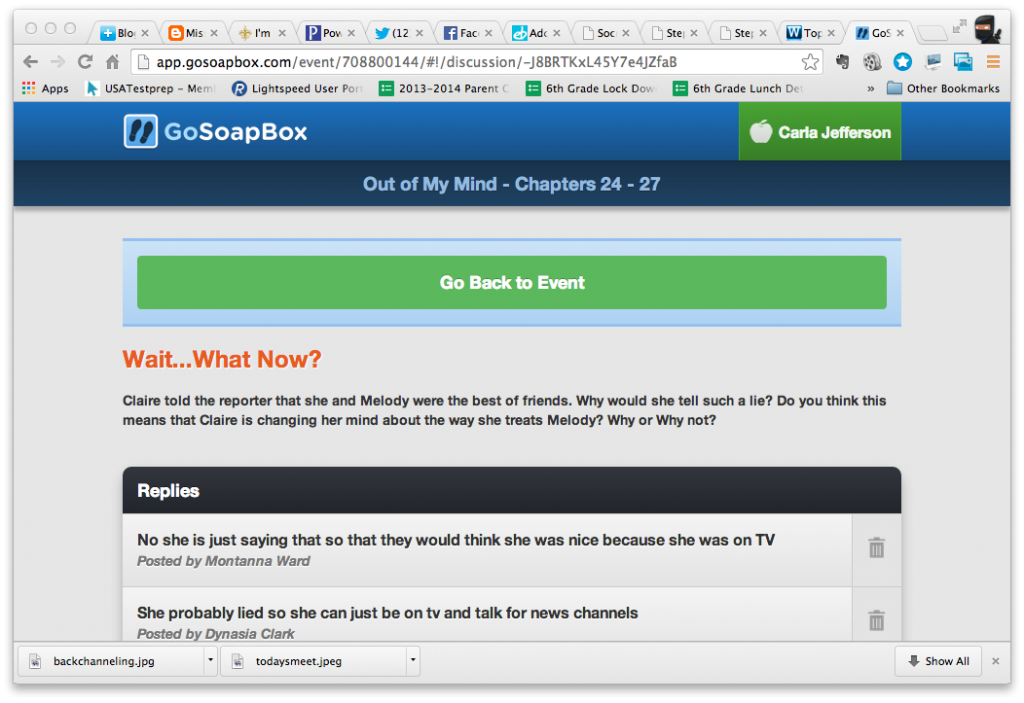
  • Book Study – While participating in the Global Read Aloud with Out of My Mind, I added polls and discussion questions to students while we were reading.
  • Greek/Latin Root Study – When students are studying new roots they share words that use that root and the definition.  We use that information to vote on our Root of the Week.
  • Checking for Understanding – While learning new content, students can post questions and/or extend the discussion without interrupting the facilitator.  I can also ask questions about the content and receive immediate feedback from EVERYONE!
  • Watching a Video – While watching a video, students type in their reactions to what they see and I’m able to answer questions that show up as they watch the video.

What backchannel should I use, you ask?

I’m going to share with you my Top 3:  Today’s Meet, Socrative, and GoSoapBox.

Today’s Meet 

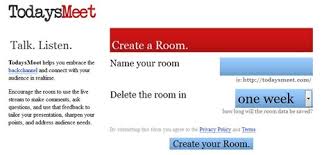
todaysmeet

Pros:

  • Free
  • No account necessary

Cons:

  • Little control
  • Fewer features
  • You have to send out a link – it’s too difficult  to have kids type in the entire web address
  • It’s difficult to focus the conversation.

Socrative

photo

Pros:

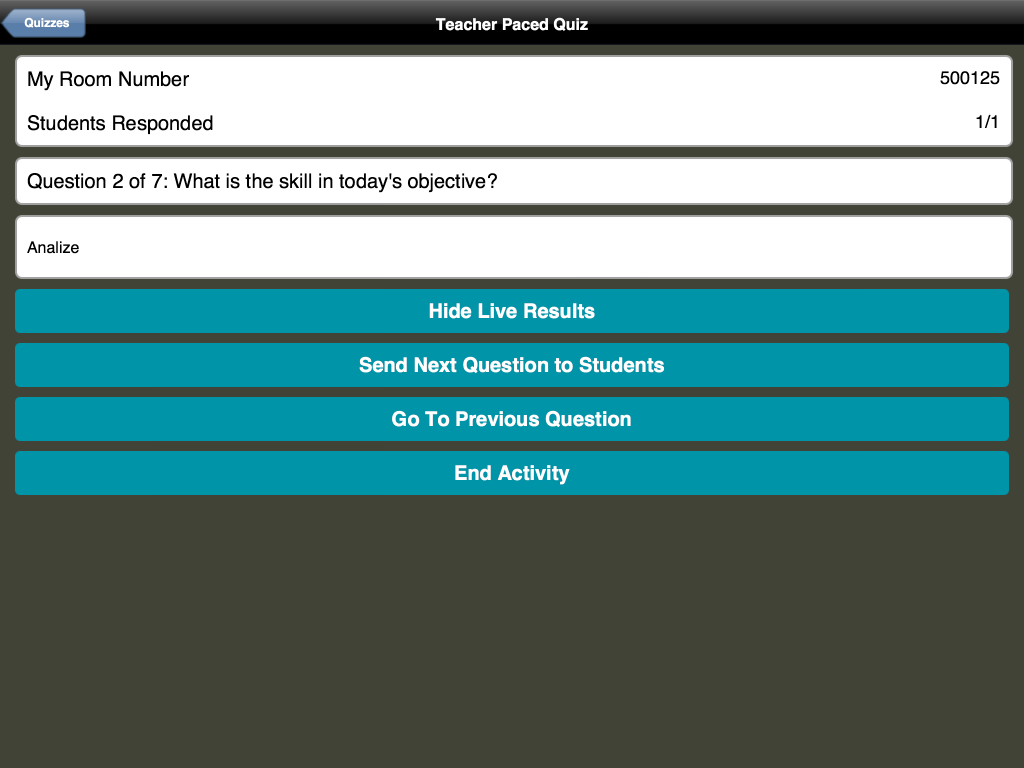
  • Students don’t need an account, they simply enter the “Room Number” (which teachers can custom create) when the teacher has the activity open.
  • Easy to create a quiz and you can even use their excel template to create a quiz then import it into the app
  • Changing order of questions is easy
  • Can share quizzes with other teachers

Cons:

  • You can’t add images to questions
  • Students have to do questions in order. They can’t skip a question and return.
  • Explanations can be given after the question (I see this as a disadvantage as I have wanted to add a hint prior to students answering a question, not after)
  • If you’re doing a quick multiple choice or true/false question, you can’t type in the question.  You either have to continue to repeat it or write/type it somewhere that the students can see.

GoSoapBox

OOMM1OOMM3

Pros:

  • Works equally well with cell phones, iPods, iPads, laptops and desk top computers
  • Allows multiple choice and short answer quizzes/tests
  • Allows polling
  • Allows discussions with and among students
  • Allows back channeling during lecture,  films, presentations, discussions
  • Can require students to sign in to use the site and have their name show up with the comments
Cons:
  • Free for up to 30 users at a time.
  • More than 30 users costs $90/year.  

If you are looking for a way to engage students, this is definitely a way to go.  Try it out and let me know the results!  

Until the next time,
20130914-094505.jpg